
Introduction
Running a modern law firm involves far more than providing legal advice. Solicitors, fee earners, paralegals and practice managers must manage client relationships, legal documents, matter deadlines, correspondence, billing, compliance responsibilities and internal workflows while maintaining high standards of client service.
Whether a firm handles litigation, family law, conveyancing, immigration, corporate matters or employment disputes, every case requires accurate information, clear responsibilities and careful coordination. As caseloads grow, managing these responsibilities through spreadsheets, email inboxes and disconnected document folders can become increasingly time-consuming and difficult to oversee.
A missed deadline, misplaced document, incomplete attendance note or overlooked client enquiry can create unnecessary risk and undermine client confidence. Manual processes can also make it harder for partners to understand workload, monitor matter progress and maintain consistent working practices across the firm.
Legal case management software provides a structured way to manage legal matters from initial enquiry and client onboarding through ongoing casework, billing and matter closure. By bringing essential information, documents, tasks and financial records into one connected environment, firms can improve visibility, reduce repetitive administration and support more consistent working practices.
This guide explores the essential features UK law firms should look for when choosing legal case management software and how a platform such as CaseTrak.ai can support a more organised, efficient and scalable legal practice.
Why UK Law Firms Need Legal Case Management Software
Traditional office tools can be useful for individual tasks, but they are not designed to provide a complete view of a law firm’s operations. Client details may be stored in one system, documents in another, deadlines in a calendar and billing information in separate accounts software.
This fragmentation creates several operational challenges.
Disconnected information and duplicated work
When matter information is spread across multiple systems, staff may need to enter the same details repeatedly, search through email chains or ask colleagues for updates. This wastes time and increases the possibility of inconsistent records.
Increasing administrative pressure
Legal professionals need time for research, drafting, client advice and case preparation. Repetitive tasks such as chasing documents, updating spreadsheets, recording time and preparing routine correspondence can reduce the time available for higher-value legal work.
Limited visibility across active matters
Partners and practice managers need to know which matters require attention, which tasks are overdue, where client information is outstanding and how work is distributed across the team. Without a central overview, obtaining this information may depend on manual reporting.
Greater demands on client communication
Clients increasingly expect timely responses, clear explanations and convenient ways to share information. When communication is spread across personal inboxes and telephone notes, maintaining continuity can become difficult, particularly when a matter changes hands.
The need for stronger information governance
Law firms handle confidential information and personal data that must be managed appropriately. The Solicitors Regulation Authority (SRA) emphasises the professional duty to protect client confidentiality. Technology should therefore support appropriate access controls, secure information handling and effective oversight.
A well-selected legal case management system helps address these challenges by creating a more structured working environment, with clear records, responsibilities and visibility across matters.
Essential Feature 1: Centralised Legal Matter and Client Management
Centralised matter management is the foundation of effective legal case management software.
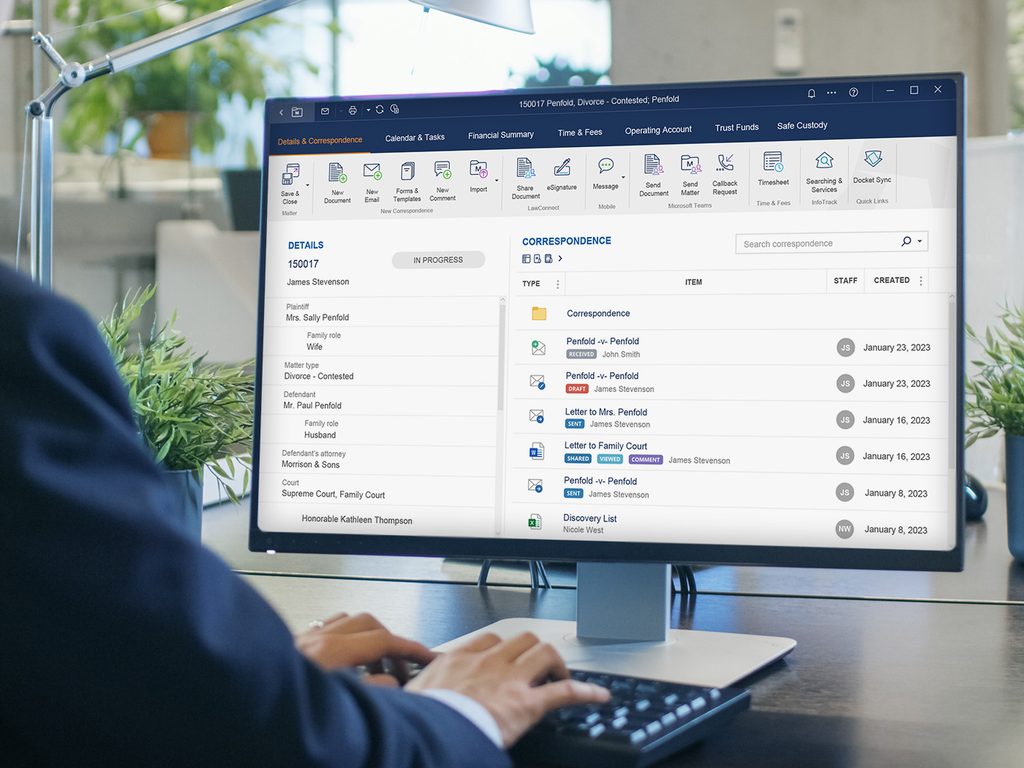
Each matter should have a structured record containing the relevant client details, matter type, assigned fee earner, key dates, status, associated parties, notes, documents, tasks and financial information.
Instead of searching multiple locations for updates, authorised team members can access the information they need from one central matter record.
For example, a litigation matter might include the parties involved, claim details, correspondence, evidence, procedural dates, hearing information, assigned tasks and billing records. A conveyancing matter would require a different set of information and milestones.
The system should accommodate these differences while maintaining a consistent approach to organising legal work.
Centralised records also support continuity. If a fee earner is absent or a matter is reassigned, the next person can review the available history and understand what has happened, what has been agreed and what needs attention.
CaseTrak.ai’s legal matter management software brings matter details, documents, tasks, timelines and financial activity into a connected workspace, helping firms maintain a clearer overview of their cases.
Essential Feature 2: Customisable Legal Workflows and Task Automation
Legal matters often follow recognisable processes, even when the facts and legal issues differ. Case management software should allow firms to structure these processes through configurable workflows, task lists and matter templates.
Common workflows may cover:
- Client intake and initial conflict checks.
- Client care documentation and onboarding.
- Document requests and evidence collection.
- Drafting, review and approval stages.
- Filing, correspondence and procedural milestones.
- Client updates and follow-up actions.
- Billing, matter review and closure.
For example, a family law workflow might include initial instructions, financial disclosure, document preparation, negotiation milestones and court-related tasks where applicable. A litigation workflow may require pleadings, evidence management, disclosure, hearing preparation and post-hearing actions.
Templates help teams follow a consistent process without treating every matter as identical. Tasks can be assigned to specific individuals, given priorities and linked to the relevant case.
Automation can further reduce repetitive administration. Depending on the system’s configuration, routine reminders, recurring tasks and workflow actions can be triggered without relying entirely on manual follow-up.
The objective is not to replace legal judgement. It is to make routine operational steps more consistent, visible and manageable.
Essential Feature 3: Deadline, Calendar and Hearing Management
Deadline management is one of the most important capabilities in legal case management software.
Law firms may need to monitor court deadlines, filing dates, hearing dates, limitation periods, contractual milestones, client appointments and internal review deadlines. The consequences of missing a critical date can be significant, depending on the matter and applicable procedural rules.
A reliable system should allow users to record key dates, assign responsibility, set reminders and identify upcoming or overdue actions from a central dashboard.
Useful capabilities include:
- Matter-linked calendars and deadline records.
- Reminders before important dates.
- Task ownership and escalation procedures.
- Visibility of upcoming hearings and appointments.
- Internal review dates before external deadlines.
- Reporting on overdue tasks and matters requiring attention.
For example, a fee earner preparing for a hearing might need to complete document review, obtain client instructions, finalise a bundle and arrange a preparation meeting. A structured task sequence helps make those dependencies visible.
However, software reminders should not be treated as a substitute for checking court orders, legislation, procedural rules or the specific circumstances of a matter. Legal professionals must verify applicable deadlines and ensure the system is configured correctly.
Essential Feature 4: Legal Document Management and Version Control
Documents are central to almost every area of legal practice. Firms create and receive contracts, pleadings, witness statements, advice letters, disclosure materials, client identification documents, financial records and correspondence throughout the life of a matter.
When files are stored in inconsistent folders or attached to long email chains, finding the correct document can become unnecessarily difficult.
Legal document management should provide:
- Secure, matter-based document storage.
- Clear naming conventions and categorisation.
- Search and retrieval functionality.
- Version history or version control where supported.
- Appropriate permissions for confidential files.
- Links between documents, clients and matters.
- A clear process for reviewing and approving documents.
Version control is particularly important when several people contribute to a document. Staff need to know which version is current and avoid relying on an outdated draft.
Document templates can also improve consistency. Standardised letters, attendance notes, engagement documents and other routine materials help teams follow established processes while allowing the content to be adapted to each client’s circumstances.
CaseTrak.ai offers document management capabilities designed to help firms organise matter-related documents and access relevant information more efficiently.
Essential Feature 5: Secure Client Portal and Collaboration
Communication is a major part of delivering a good legal service. Clients need to provide instructions, share documents, review information and understand what happens next.
A secure client portal can provide a dedicated space for authorised clients and legal teams to exchange relevant information, reducing dependence on scattered email attachments.
Depending on the portal’s functionality, clients may be able to:
- Upload requested documents.
- Access selected matter information.
- Receive updates and notifications.
- Exchange secure messages with their legal team.
- Review or download permitted documents.
- Complete information requests or questionnaires.
For law firms, a portal can make outstanding client actions easier to track and provide a more organised way to collaborate.
For example, when a solicitor requests supporting documents, the request can be connected to the relevant matter. The team can then monitor what has been received and what still requires review.
A client portal should not expose all matter information by default. Access must be appropriately restricted, particularly where matters involve multiple clients, opposing parties, commercially sensitive information or confidential third-party records.
CaseTrak.ai’s client relationship management and collaboration capabilities can help firms organise client interactions and follow-up activity as part of a more connected client journey.
Essential Feature 6: Client Intake, CRM and Matter Onboarding
Efficient case management begins before a matter becomes active.
Law firms need a structured way to capture enquiries, record prospective client details, manage follow-ups and move suitable instructions into the onboarding process.
Without an organised intake process, enquiries can be overlooked, client information may be duplicated and potential conflicts or urgent requirements may not be identified promptly.
A legal case management system with client relationship management (CRM) capabilities should help firms:
- Record enquiries and prospective clients.
- Track the status of each enquiry.
- Maintain contact and communication histories.
- Schedule follow-up tasks.
- Capture structured client information.
- Support onboarding and matter creation.
- Maintain appropriate conflict-checking procedures.
Structured questionnaires can collect relevant information before a consultation or during onboarding. This may reduce repeated questions and help the legal team identify missing information earlier.
However, automated intake does not replace professional conflict checks, client identification, verification, risk assessments or other required procedures. These checks must be completed in accordance with the firm’s obligations and applicable requirements.
Connecting client intake with matter management also helps maintain continuity between the initial enquiry and the legal work that follows.
Essential Feature 7: Communication History, Notes and Matter Timelines
A complete record of client interactions is important for effective case management.
Throughout a matter, a firm may communicate with clients, opposing solicitors, counsel, courts, experts, witnesses and other relevant parties. Staff may also record telephone calls, meetings, advice, decisions and follow-up instructions.
A matter-linked communication history helps authorised users establish what happened and when.
Useful features include:
- Chronological matter activity timelines.
- Structured attendance and telephone notes.
- Recorded client instructions and agreed next steps.
- Links to relevant correspondence and documents.
- Task creation following important interactions.
- Searchable records of previous activity.
Consider a client who contacts the firm to ask about the progress of a case. A clear matter timeline helps the responsible fee earner review recent correspondence, identify outstanding actions and provide a more informed response.
It also supports continuity when a matter transfers between team members or requires supervisory review.
Communication records should be accurate, relevant and handled appropriately. Firms should also ensure that confidential information is accessible only to authorised users.
Essential Feature 8: Security, Confidentiality and Audit Trails
Legal case management software must support the responsible handling of sensitive information.
Depending on the practice area, client records may include identity documents, financial information, medical records, employment details, commercially sensitive contracts and privileged communications.
The SRA’s guidance on confidentiality of client information highlights the importance of protecting information relating to current and former clients.
When evaluating software, firms should assess the provider’s security arrangements rather than relying on general claims that a platform is secure.
Important considerations include:
- Role-based access controls and user permissions.
- Secure authentication and account management.
- Encryption and secure data transmission.
- Audit logs for relevant user activity and changes.
- Backup, recovery and business continuity arrangements.
- Data retention, deletion and export procedures.
- Appropriate supplier access and data-processing arrangements.
- Support for the firm’s data protection and confidentiality obligations.
Audit trails can help firms establish when important actions occurred, which user made a change and how a record developed over time, where those events are captured by the system.
Technology alone does not guarantee regulatory compliance. Firms remain responsible for their policies, staff training, risk assessments, configuration and day-to-day use of the platform.
Essential Feature 9: Time Recording, Legal Billing and Financial Management
Accurate time recording and billing are essential to the commercial management of a law firm.
Depending on the firm’s pricing model, work may be billed by the hour, at fixed fees, through staged payments or under other agreed arrangements. Firms may also need to record disbursements, expenses, payments and outstanding balances.
Legal case management software should connect relevant financial activity to the matter record.
Key capabilities may include:
- Recording billable time and time entries.
- Applying relevant fee rates.
- Tracking matter-related expenses.
- Preparing and managing invoices.
- Monitoring invoice and payment status.
- Maintaining matter-level financial records.
- Reviewing budgets and profitability where supported.
For example, if a matter requires more time than originally anticipated, reliable time and expense records can help the firm understand where resources are being used and whether its processes or fee arrangements need review.
Consistent time recording can also reduce the risk of billable work being forgotten before invoicing.
Firms should assess how billing features fit their own accounting processes and any applicable requirements for client money, ledgers, disbursements and financial reporting. A case management platform should not be assumed to replace specialist accounting controls unless it has been assessed for that purpose.
CaseTrak.ai combines matter-linked time recording, invoices, expenses and ledger functionality to support financial visibility across legal work.
Essential Feature 10: Reporting, Dashboards and Performance Insights
Managing a growing firm requires more than knowing where individual files are stored. Partners and practice managers need a clear view of workload, operational performance and financial activity.
Reporting tools can bring relevant information together to help management identify bottlenecks, allocate resources and review how work is progressing.
Useful dashboard metrics may include:
- Active matters by practice area or status.
- New enquiries and onboarding progress.
- Upcoming deadlines and overdue tasks.
- Matters awaiting client information.
- Fee-earner workload and task allocation.
- Time recorded and billing activity.
- Outstanding invoices and payment status.
- Matter completion and operational trends.
For example, a report may reveal that a particular stage of a firm’s process frequently causes delays. Management can then review whether clearer instructions, improved templates, better task allocation or additional training would help.
Reporting is most useful when the underlying information is accurate and consistently recorded. Firms should define meaningful performance measures and avoid relying on headline figures without understanding their context.
CaseTrak.ai’s reporting and analytics capabilities can help firms review matter progress, team activity and financial performance through a more connected view of their operations.
Essential Feature 11: Search, Templates and Knowledge Reuse
Legal professionals regularly need to retrieve previous correspondence, locate supporting documents and prepare similar types of material across different matters.
A system with effective search, categorisation and templates can reduce the time spent repeating administrative work.
Useful features include:
- Search across relevant matter records.
- Filters by client, matter type, status or date.
- Reusable document and correspondence templates.
- Standardised internal notes and checklists.
- Matter creation templates and custom fields.
- Consistent naming and classification practices.
Templates can be particularly useful for high-volume or repeatable processes. They provide a starting point for common documents and task sequences while allowing fee earners to tailor the material to the facts, legal requirements and instructions of each matter.
Knowledge reuse should not mean copying previous advice without review. Legal documents and advice must be checked for accuracy, relevance and suitability before they are used in a new matter.
Essential Feature 12: Integrations and Flexible Configuration
Most law firms already use a range of business applications, such as email, document editing tools, calendars, accounting systems and reporting software.
A new case management platform should fit the firm’s wider technology environment wherever practical.
Before choosing a system, assess whether it supports the integrations your team genuinely needs, how information moves between connected applications and whether the arrangement creates duplicate records or additional security risks.
Depending on the provider and configuration, useful integration capabilities may include:
- Document and productivity applications.
- Email and calendar tools.
- Accounting or financial systems.
- Reporting and business intelligence tools.
- Document storage platforms.
- APIs or other supported integration methods.
Custom fields and configurable workflows are also valuable. A litigation team, a conveyancing practice and a family law team will not organise every matter in the same way.
CaseTrak.ai provides configurable matter management and integration options to help firms align the platform with their operational processes. Firms should confirm the availability, scope and suitability of specific integrations during evaluation.
Essential Feature 13: Scalability for Growing Law Firms
A system that works for a sole practitioner may not be suitable once the firm employs additional solicitors, paralegals, support staff or teams across multiple offices.
Scalability means more than adding user accounts. The platform should help maintain consistent processes, access controls, reporting and supervision as the business develops.
A scalable legal case management system should support:
- Increasing numbers of clients and active matters.
- Different user roles and permission levels.
- Team-based task allocation and supervision.
- Configurable workflows across practice areas.
- Consistent document and data organisation.
- Reporting across individuals, teams and the wider firm.
- Practical data migration and export options.
When evaluating a provider, firms should also consider onboarding support, staff training, system performance, pricing as usage grows and the process for accessing or exporting records if they change platforms.
The aim is to establish a reliable operating foundation without introducing unnecessary complexity.
How CaseTrak.ai Can Help UK Law Firms
CaseTrak.ai is a legal case and practice management platform designed to help law firms manage matters, clients, documents, tasks, time recording, billing and reporting within a connected environment.
For firms moving away from fragmented spreadsheets, inboxes and manual trackers, a more centralised approach can improve visibility and make routine work easier to organise.
Depending on the firm’s configuration and use of the platform, CaseTrak.ai can support several important operational needs.
Centralised matter management
Keep matter details, associated documents, tasks, notes and activity organised within a structured workspace. This helps authorised team members access relevant information and maintain continuity across the life of a matter.
Structured task and workflow management
Assign responsibilities, prioritise actions and monitor task progress. Configurable workflows and templates can help teams follow repeatable processes while adapting them to individual matters.
Document organisation and client collaboration
Connect documents to the relevant matters and support a more structured approach to client information and communication. Appropriate permissions remain essential when sharing confidential records.
Time recording and billing visibility
Record time and expenses, manage invoices and review relevant financial information linked to legal matters. This can help firms understand their workload and maintain clearer billing records.
Reporting and operational oversight
Use matter and financial information to review activity, identify delays and understand how work is distributed across the team.
Flexible working as the firm grows
A connected platform can help reduce dependence on individual spreadsheets and informal processes, providing a more consistent basis for managing additional matters and team members.
The value of CaseTrak.ai is not simply replacing paper files or spreadsheets. It is helping firms connect their operational processes so that matter information, responsibilities, documents and financial activity are easier to manage together.
Firms should assess the available functionality against their own practice areas, security requirements, workflows and integration needs before implementation.
How to Choose the Right Legal Case Management Software
Selecting legal case management software should begin with the firm’s actual operational requirements rather than a long list of features.
1. Map your current processes
Identify how new enquiries are handled, how matters are opened, where documents are stored, how deadlines are monitored and how invoices are prepared. Record the areas that create the most delays or repeated work.
2. Prioritise essential requirements
Separate must-have capabilities from optional features. For one firm, document management and deadline visibility may be the priority; another may need stronger billing controls, reporting or client collaboration.
3. Test realistic matter scenarios
Ask providers to demonstrate the system using examples relevant to your practice. Test the process of opening a matter, assigning tasks, uploading documents, recording time, monitoring deadlines and closing the file.
4. Evaluate security and data handling
Ask about access permissions, authentication, encryption, backups, audit logs, data location, retention, deletion and supplier access. Establish whether the provider’s arrangements meet your firm’s requirements.
5. Review migration and integration
Understand how existing client records, documents, matter histories and financial data will be transferred. Check whether required integrations are supported and how data quality will be maintained.
6. Plan training and implementation
Assign responsibility for configuration, training and internal support. Introduce the system in manageable stages and provide staff with clear guidance on how matters should be recorded.
7. Measure the results
After implementation, review indicators such as time spent on administration, overdue tasks, document collection delays, billing accuracy and client response times. Use the findings to refine workflows and improve adoption.
A successful implementation depends on the combination of suitable technology, well-designed processes and consistent staff use.
Common Mistakes to Avoid When Implementing Legal Case Management Software
Even a capable platform may deliver limited benefits if it is introduced without proper planning.
Choosing software based on features alone: A long feature list does not guarantee that a system fits the firm’s day-to-day work. Evaluate practical workflows and usability.
Migrating disorganised records without review: Moving duplicate, outdated or incomplete information into a new platform can reproduce existing problems. Clean and validate important records before migration.
Failing to establish clear ownership: Tasks, deadlines and document reviews need responsible owners. Technology cannot compensate for unclear accountability.
Over-automating legal processes: Automation should support repeatable administrative steps, not replace professional judgement or checks that require legal expertise.
Ignoring security configuration: Access controls, retention settings and sharing permissions should be reviewed before staff begin using live client information.
Providing insufficient training: Staff need to understand not only which buttons to use but also how to record work consistently and follow the firm’s processes.
Failing to measure adoption: Regular reviews help identify whether the system is improving operational performance or whether further training and configuration are needed.
Avoiding these mistakes can make implementation more manageable and help the firm achieve greater value from its investment.
Conclusion
UK law firms must balance demanding legal work with client communication, document management, deadline control, financial administration and professional responsibilities. When these activities are spread across disconnected tools, maintaining visibility and consistency becomes increasingly difficult.
Legal case management software provides a structured way to manage matters from initial enquiry to completion. The most valuable capabilities include centralised matter records, configurable workflows, deadline tracking, document management, client collaboration, secure access, time recording, billing and reporting.
However, selecting the right system requires more than identifying individual features. Firms should consider their practice areas, existing processes, security requirements, integrations, staff training needs and plans for growth.
CaseTrak.ai offers a connected approach to legal matter and practice management, helping firms organise their work, improve operational visibility and manage core activities within one platform.
For firms looking to move beyond manual tracking and fragmented systems, investing in suitable legal case management software can provide a stronger foundation for efficient operations, consistent service and sustainable growth.
Frequently Asked Questions
What is legal case management software?
Legal case management software is a digital platform that helps law firms organise clients, legal matters, documents, tasks, deadlines, communication and related financial activity. It provides a structured way to manage legal work from initial enquiry through to matter completion.
Why do law firms need case management software?
Law firms use case management software to improve organisation, reduce repetitive administration, monitor deadlines, centralise documents and maintain visibility across active matters. It can also support client communication, billing and management reporting.
What features should UK law firms look for in legal case management software?
Important features include centralised matter management, configurable workflows, task and deadline tracking, document management, secure client collaboration, CRM, communication histories, access controls, audit trails, time recording, billing and reporting.
Is legal case management software suitable for small law firms?
Yes. The right platform can help sole practitioners and small firms organise growing caseloads, standardise routine tasks and maintain better oversight. Firms should select a system that matches their current requirements while allowing for future growth.
How does legal case management software help prevent missed deadlines?
It can centralise key dates, link deadlines to tasks, assign responsibility and provide reminders or escalation mechanisms. Legal professionals must still verify deadlines against the relevant rules and documents and ensure the system is maintained correctly.
Is legal case management software secure?
Security depends on the provider’s technical and organisational controls and how the firm configures and uses the system. Firms should assess authentication, permissions, encryption, backups, audit trails, data handling and supplier arrangements before storing confidential client information.
Can legal case management software improve billing accuracy?
It can support more consistent time recording, expense tracking, matter-linked financial records and invoice preparation. The benefits depend on staff recording activity accurately and the platform’s compatibility with the firm’s billing and accounting processes.
How can CaseTrak.ai support a law firm?
CaseTrak.ai supports legal matter management, task organisation, document handling, time recording, invoicing, financial visibility and reporting through a connected platform. Its suitability depends on the firm’s workflows, practice areas and operational requirements.
How should a law firm implement legal case management software?
Start by mapping current processes, defining essential requirements, reviewing security and integration needs, planning data migration and training staff. Test the system using realistic matter scenarios, then monitor adoption and refine workflows after launch.